
Channel Manager
One inventory. Every channel in sync.
Manage every OTA and distribution channel from one inventory, so availability and rates stay aligned wherever guests book.
Running Channel Manager at scale
Rules per channel, not one template
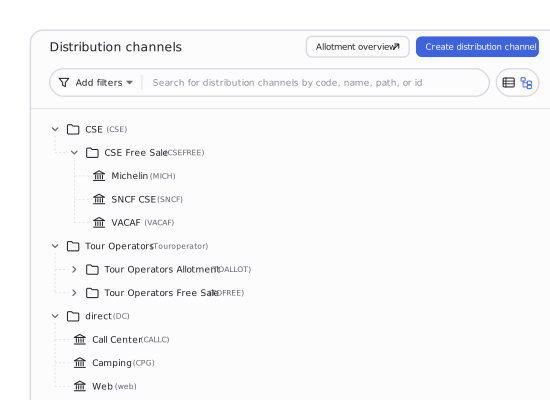
Display, rates, allotment and cancellation terms are set independently for each connection, not forced through a single setup.
Real-time, not end-of-day
Availability and rate changes push out the moment they happen, not on a batch schedule that catches up overnight.
Commission and settlement in one place
No separate reconciliation tool per channel partner. One overview, one invoice run.
Adding a channel takes an afternoon. Running it well is the part nobody plans for
cableConnect
A new channel selling in days, not months
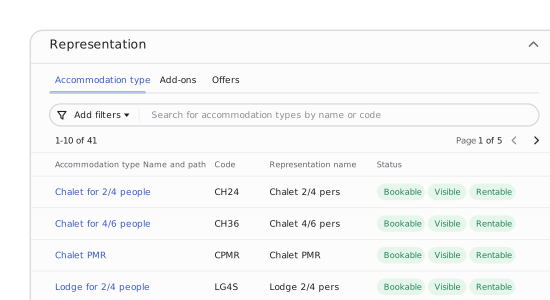
Pre-built connections handle the technical setup. Accommodations, rates, add-ons and payment terms carry across in a few steps, and native two-way sync with Booking.com is included at no extra cost.
hubDistribute
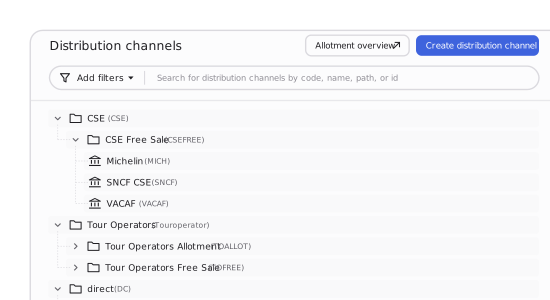
One inventory. Every distribution channel reads from it at once
Assign unit blocks to a channel or leave them in free sale, and change the rate once to push it everywhere connected. Prioritise direct bookings by making your best units available on your own website first, while giving OTAs access only to the inventory you choose.
shieldProtect
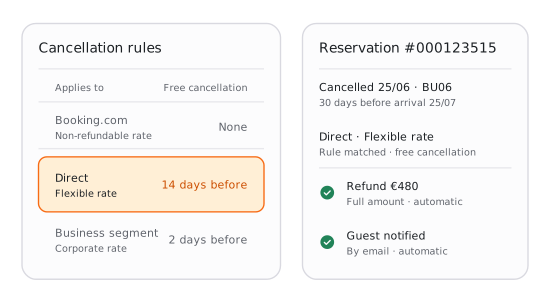
A cancellation on one channel does not become a guessing game on the rest
Set cancellation terms by channel, rate type or guest segment, and let automated notifications and refund handling take it from there. Business, private and other reservation categories can each carry their own rules.
receipt_longSettle
The reconciliation that used to take a day now takes itself
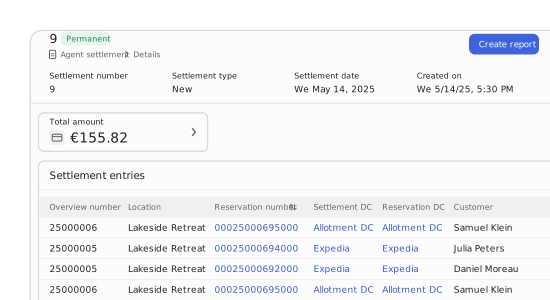
Commission rates are configured per channel, date or accommodation type, and calculated automatically as bookings come in. Agent settlement tools generate the overview and the invoice, so nothing waits for month end.
tuneConfiguration
Configuration most operators only discover they need once they have outgrown a simpler tool
Channel Manager separates what a reservation is from how it is sold. Set whether a season bills by reservation or by client, how reservation categories segment business, private and other guest types, and how rate types carry package terms and currency. Every channel inherits the same logic, so you don't need to set it up again.
This runs on Maxxton's hierarchical configuration: one policy set at group level, overridden only where a channel or location genuinely differs.
Channel Manager sits between where your rate comes from and where every booking lands
Three modules share the boundary where distribution meets the rest of the platform.
Revenue management
One rate decision in Revenue Management reaches every connected channel automatically, so you never need to re-enter pricing per channel.
Central reservation system
Every channel reservation arrives here the moment it's made, in the same workflow as a direct or walk-in booking. No re-entry, no separate queue.
Booking engine
Your Booking Engine and Guest Portal draw from the same inventory, so a direct guest never sees a worse rate or a unit an OTA got to first.
Questions operators ask before switching
We already use a channel manager tool. Why would we run this instead?
The Channel Manager is native to the platform and included in Pro and Premium, not a bolt-on with its own subscription and separate reconciliation. Reservations land straight in the central reservation system with no export or re-entry step. If you need to reach beyond the pre-built connections, the ecosystem adds more through partners like SiteMinder and D-EDGE.
Is this standalone or part of the Maxxton platform?
Part of the platform. Channel Manager shares inventory with the central reservation system and Revenue management, and distributes the accommodation content configured in Inventory setup.
How does a rate change in Revenue management reach the channels?
Automatically. A rate set once in Revenue management pushes to every connected channel without a separate export.
What actually stops two channels double-booking the same unit?
Real-time availability sync closes the lag that causes it. Allotment management adds a further safeguard by reserving specific units to a channel or keeping them in free sale, so operators who want an extra layer of control have one.
How is commission handled when an agent or tour operator takes a cut?
Configured per channel, date or accommodation type, calculated automatically as bookings come in, and settled through the built-in agent settlement tools rather than a spreadsheet.
Can each location or brand run different channel rules?
Yes, through hierarchical configuration. Group-level policy applies everywhere by default, and a channel or location only needs its own setup where it genuinely differs.
See your own channels connected, live
Bring your current OTA mix. We'll show real-time sync, allotment, and commission handling.