
For IT

Keep control without becoming the bottleneck

You are responsible for integrations, access and the infrastructure behind every reservation. When you manage those systems separately, small failures become hard to trace and harder to fix. Maxxton’s property management system (PMS) brings them together, giving you the visibility and control to keep operations running without spending your day firefighting.


IT administrator at a desk with multiple monitors, monitoring integration health and access control

IT teams running on Maxxton

Landal
Sandaya
Siblu
RCN

Enterprise IT governance at scale

ISAE 3402 and PCI DSS certified. Built for multi-location reliability, scalability and compliance from day one.

400+

locations run their core operations on Maxxton

13

countries

50K+

accommodations managed daily

99.9%

enterprise uptime SLA

Integrations

Know what is connected, and what is not

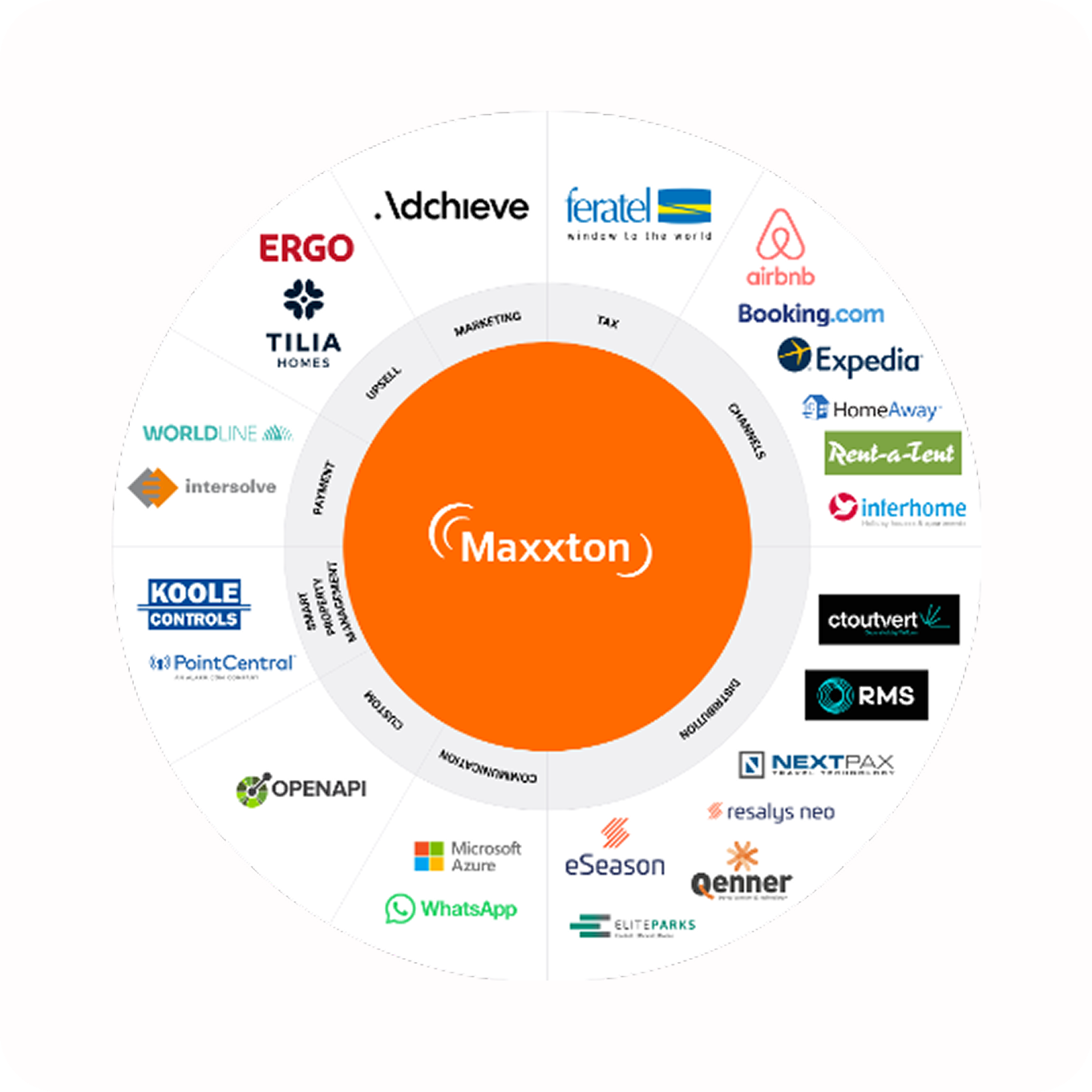
Prebuilt connections between your PMS, OTAs, payment providers and other operational systems reduce the work of setting up and maintaining integrations. Monitor their health from one place, with APIs and webhooks available when you need to go further.

Access

Give people access without losing control

Set roles and permissions once and apply them across locations. Single sign-on, role-based access, and audit trails let you control who can access what while keeping a clear record of what changed and when.

Platform

Build on infrastructure that scales with you

Add locations without adding another layer of infrastructure to manage. Cloud-native architecture, automatic scaling and an API-first platform give your teams the foundation to support growth without carrying legacy technology with them.

When something breaks, you should know before the guest does

An integration misses a sync.

An OTA stops sending updates.

Someone leaves the business and their access remains active.

None of these problems is particularly difficult to fix — once you know about them. The expensive part is discovering them late.

When integrations, permissions and operational systems live in different places, IT ends up checking dashboards, comparing reports and tracing failures across systems. Maxxton puts that visibility in one place, so you can see what is happening and act before a technical issue becomes an operational one.

Govern access across every location

Set up roles centrally and apply them across your organisation, with location-specific permissions where needed. Revoke access once and it is removed across the platform. Audit trails show who accessed the system and what they changed, giving you the evidence you need for audits and compliance.

Explore User Access Management arrow_outward
boltGap: needs a decision
Collective integrations dashboard
A screen showing several active plug-and-play integrations at a glance, with status indicators per connection.

Connect systems without creating another layer to manage

Activate prebuilt integrations to OTAs, payment providers, and operational tools without building every connection from scratch. Real-time monitoring shows which integrations are healthy and where something needs attention.

The Maxxton API and webhooks give your developers room to build custom connections where needed, without working around a closed system.
Explore Integration Management arrow_outward
channels_maxxton

Give your platform room to grow

An API-first architecture makes data available where you need it, while cloud infrastructure scales as your locations and reservation volumes grow. Automatic updates mean less infrastructure to maintain, and centralised monitoring gives you visibility across the platform.

When a new location, partner or integration comes along, you add it to the same platform rather than introducing another system to govern.

Platform Architecture arrow_outward
boltGap: needs a decision
Collective integrations dashboard
A screen showing several active plug-and-play integrations at a glance, with status indicators per connection.

Keep security part of the platform

Security should not depend on another collection of tools for IT to manage. Maxxton combines access controls, monitoring and compliance within the platform.

Maxxton’s security assurance includes PCI DSS v4.0.1 and NF525 certifications, an ISAE 3402 Type I report and annual audits. KPMG, Xebia and Onvio conduct external penetration tests. Maxxton manages the underlying infrastructure and patches, while your team retains control over configuration, access and validation.

Maxxton automates backups, encrypts them at rest and holds them in a geographically separate location.

Security & Compliance arrow_outward
boltGap: needs a decision
Collective integrations dashboard
A screen showing several active plug-and-play integrations at a glance, with status indicators per connection.

Built for enterprise reliability and scale

The result is infrastructure your IT team can govern without having to operate every layer themselves.

99.9%
enterprise uptime SLA

Google Cloud infrastructure, 24/7 monitoring, annual penetration testing, ISAE 3402 and PCI DSS certification, plus documented incident response and disaster recovery processes.

Questions IT teams ask us

Can we manage access differently for different locations?

Yes. Apply role templates across locations or customise permissions for individual locations. You can restrict access by function and location while managing SSO centrally.

What happens when an integration fails?

The integration dashboard shows its status and error details, so your team can identify what failed and where. Logs help you trace the issue and determine the next step.

How do we onboard a new location?

Reuse your existing access roles and configuration, then set up the integrations required for the new location. You keep the same platform and governance model rather than starting from scratch.

Are we PCI DSS compliant if we use Maxxton?

No. Using the PCI DSS certified Maxxton platform does not automatically make your organisation PCI DSS compliant. Your organisation still has responsibilities around access, configuration and internal controls.

Can external developers integrate with Maxxton?

Yes. Developers and technology partners can use the Maxxton API and documented integration patterns to build custom connections.

What happens when a vendor changes its API?

You can test and update the integration before release. Your team can monitor the connection afterwards and use the available logs and status information to identify any issues.

Simplify platform governance and integration management

See how IT teams at multi-location operators manage integrations, access, and compliance in one place.