front desk Front Desk Management

See the whole park. Run the front desk.

Run arrivals, guest requests, activities and daily cash from one screen with Maxxton’s front desk software.

Running on 400+ locations 13 countries 50K+ accommodations 1.5M reservations annually
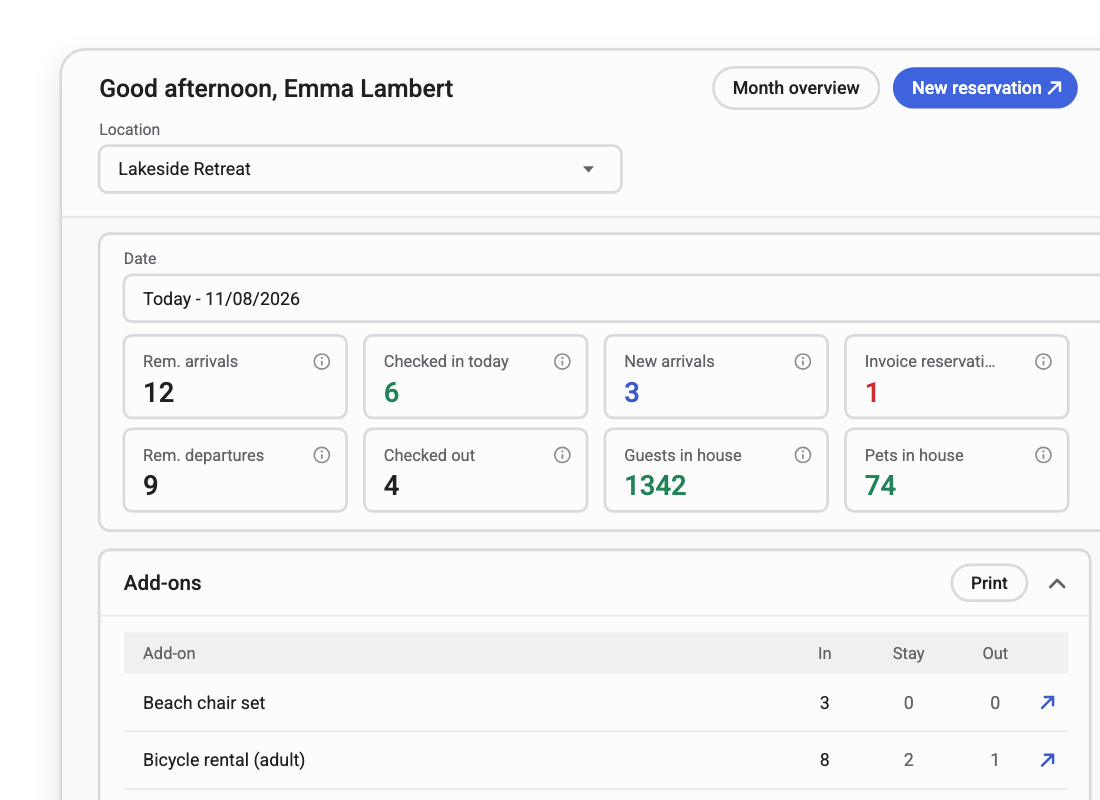
Front desk dashboard with today's arrivals, check-ins, departures and guests in house, plus an add-ons list

Reception teams using Front Desk Management today

Libéma
RCN Vakantieparken
Molecaten
Siblu
De Krim Texel
Configured

Set up per location

Required fields, payment terms and desk workflows follow how each park actually runs, not one template for the whole group.

Complete

The whole day on one screen.

Arrivals, guest requests, activities, on-site sales and the cash close. Not a check-in tool with everything else bolted on.

Connected

Same record as the rest of the guest experience.

The desk, the contact your team receives and the messages you send all read from one reservation.

The first thing your guests meet. The last thing to get invested in

One changeover Saturday, at a park running reception on four systems.

Saturday

  1. 09:40 A guest asks for a late check-out. The answer is in another system.
  2. 11:15 Broken shower in 214. Written on a pad by the till.
  3. 13:00 The barrier queue backs onto the road. Arrivals have not officially started.
  4. 16:30 A guest checks in for the fourth time this year. Nobody at the desk knows.
  5. 18:00 Pool hours explained for the fortieth time today.
  6. 19:20 The kayak session is oversubscribed. The notebook said there was room.
  7. 22:10 The till is counted twice and is still eleven euros out. Reconcile it tomorrow.

None of these Saturday failures is the team’s fault. Each one shows where the platform’s limitations finally show up.

Front desk management puts the whole on-site day on one screen. The guest in front of your team arrives with their history already attached, and everything the team does at the desk lands in the same record the rest of the platform is working from.

directions_carArrival

How do guests get through the barrier without a queue?

Pre-registered vehicle details open the barrier automatically, so arrivals don't start with a queue.
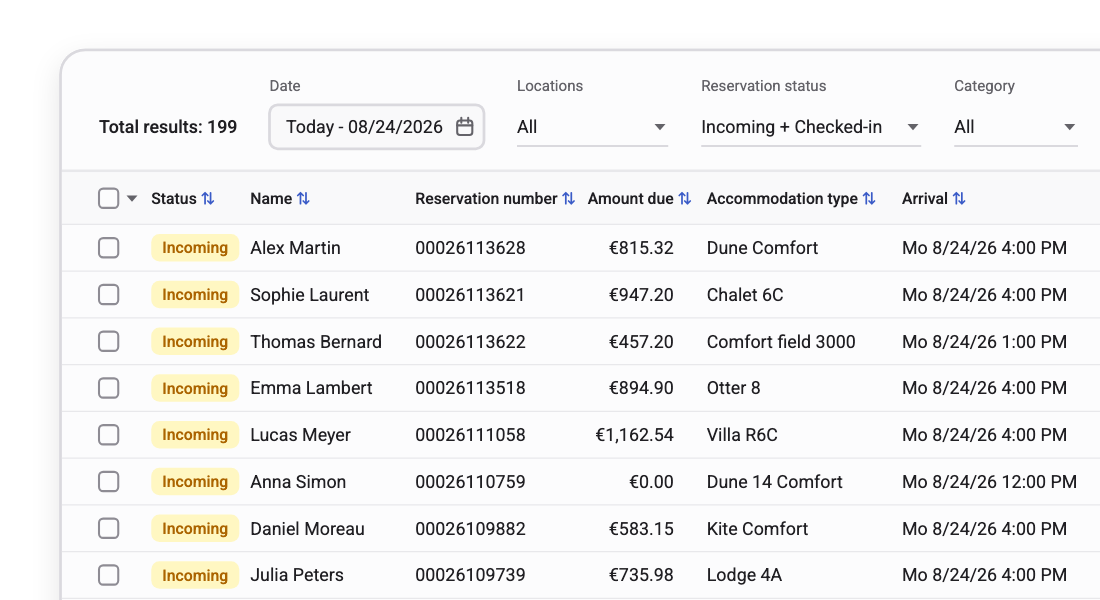
Arrivals list with status, guest name, reservation number, amount due, accommodation type and arrival time

deskThe desk

The whole guest, before they say a word

Reservation, guest profile, memos, payment status, and stay history on one screen. Change the booking on the planning chart while the guest is standing there, add a tourist tax or an add-on, take the payment.
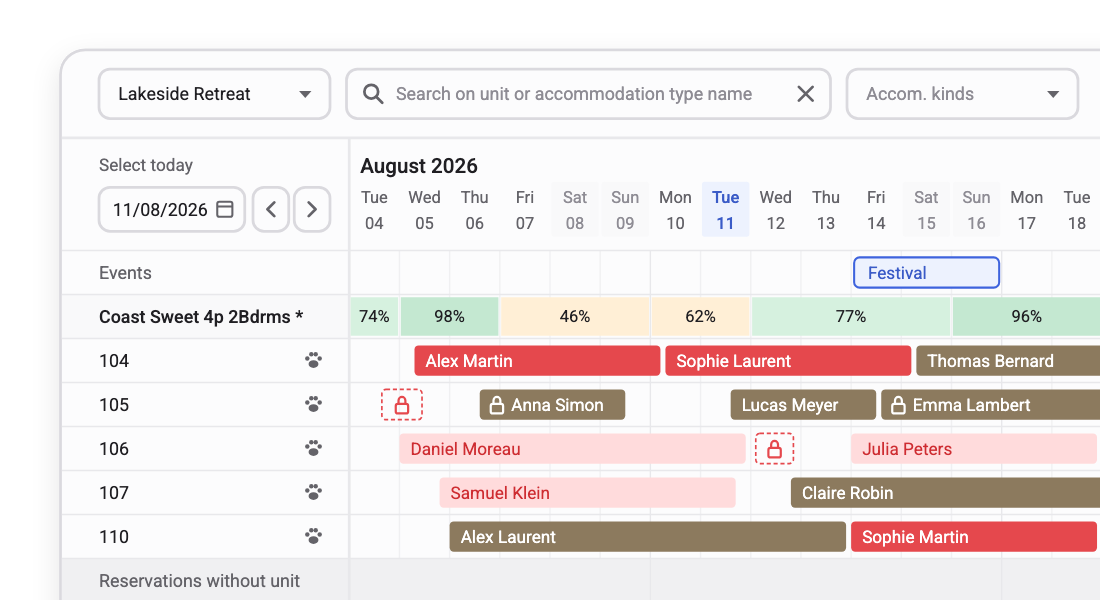
Planning chart with accommodations and bookings per day, with occupancy per accommodation type

assignmentRequests

A request at the desk becomes a work order, not a note

When a guest asks for an extra blanket, a repair or a clean, the desk raises the work order there and then. It routes to housekeeping or maintenance with the accommodation, the guest and the timing already attached.
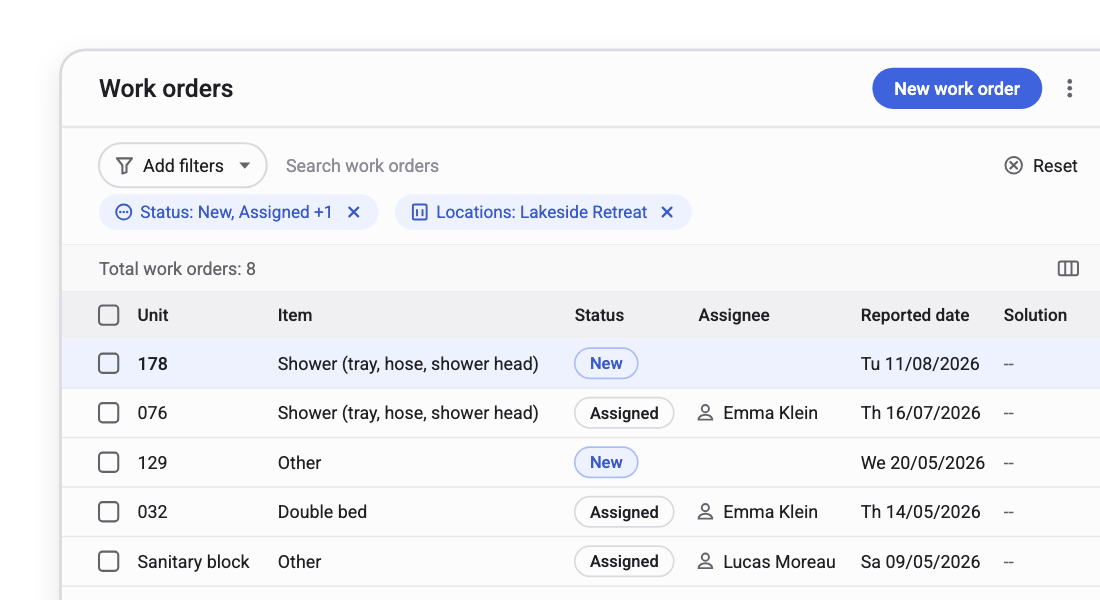
Work orders list with unit, item, status, assignee and reported date

point_of_saleOn-site revenue

The desk is a sales counter, not just a service point

Sign guests up for on-site activities, deliver booked add-ons, sell third-party goods and services through the built-in cash register. Every transaction lands in the same ledger structure the books run on.
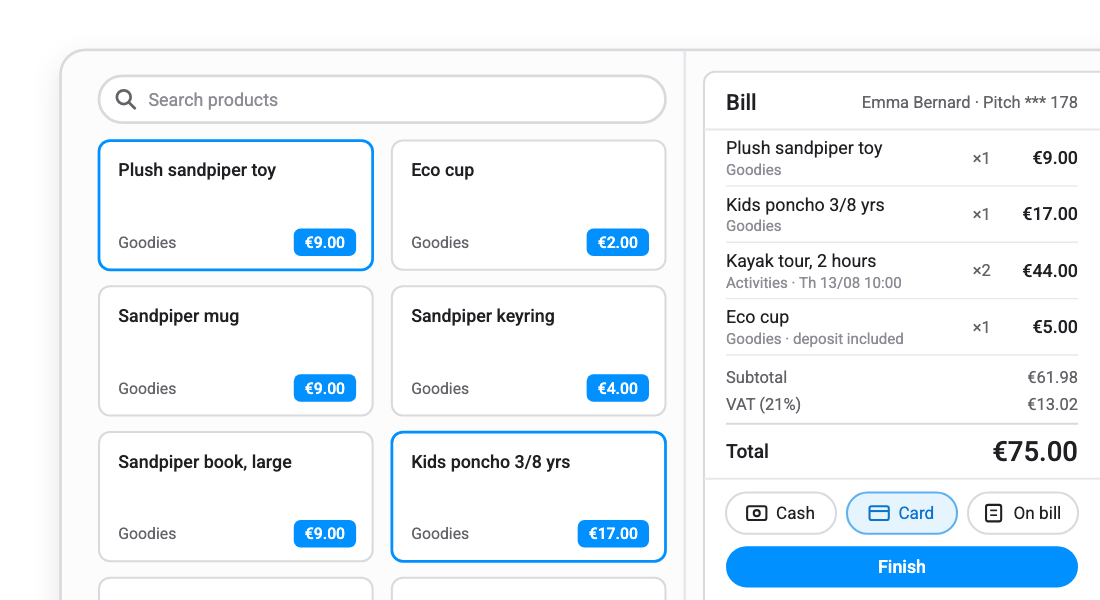
Cash register with a product grid on the left and the guest's bill with cash, card and on-bill payment options on the right

logoutDeparture

End on a high note, and leave them with a reason to come back

Automated check-out clears the departure quickly. If something went wrong during the stay, fix it with loyalty points, a discount, or another gesture.
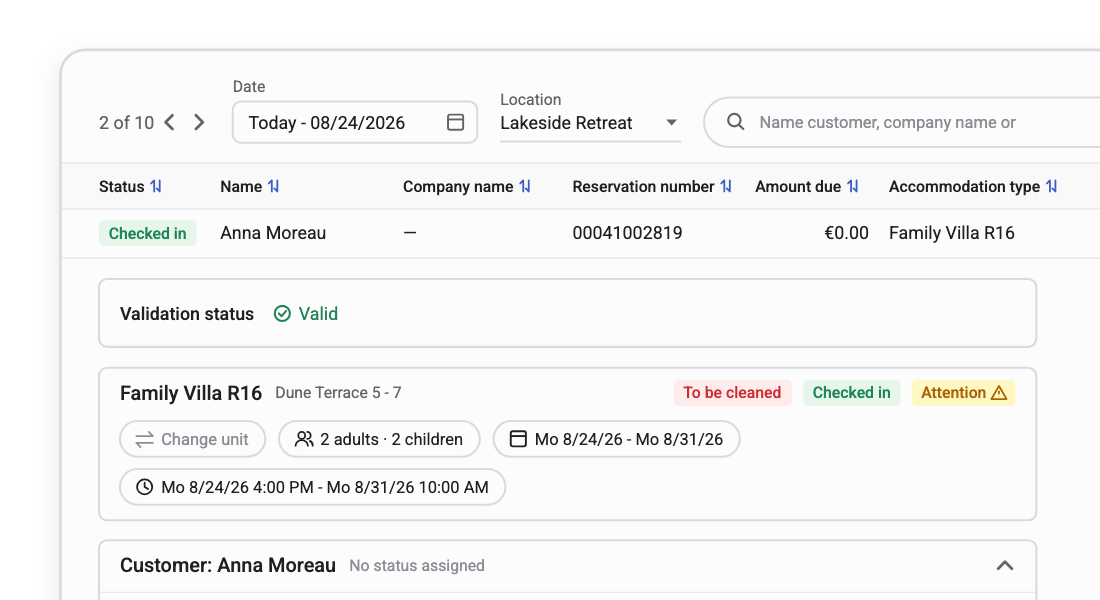
Reservation detail with check-in status, validation status, accommodation, stay dates and customer

event_noteThe park day

Run the park from the same screen you welcome guests on

Key stats per day and per location, so tomorrow’s operational load is visible today. Plan activities, publish facility schedules straight to the website, and close the day with automated cash clearance.
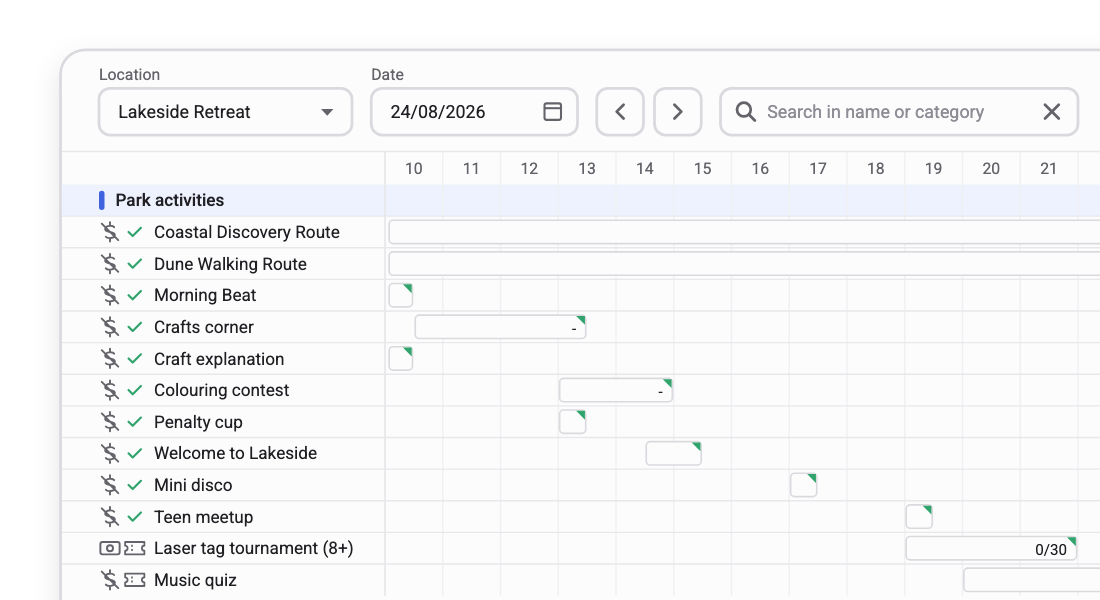
Activity and facility schedule per day with park activities and sign-ups against capacity

The test is whether a seasonal hire can run it

Front desk teams turn over every season. A platform the desk cannot learn quickly is a platform the desk works around.

“That’s why ease of use is so important. Our sales team, back office, and operations staff could all adopt the system quickly. It makes their lives easier.”

Marcel Janssen , co-owner and Director, Estivotravel
Book a demo

Questions reception teams ask us

Does this replace our existing check-in or POS hardware?

No. Front Desk Management replaces the check-in and cash register workflow instead of connecting to an existing POS system. Maxxton processes transactions and can map them to your wider finance or accounting systems afterwards. It connects with the payment terminals and access hardware you already use, so existing barriers and access control can remain in place.

How long does it take to train a seasonal front desk hire?

An afternoon for the core desk workflow: check-in, check-out, reservation changes and taking a payment. The screen is one view rather than several systems, which is what makes that possible.

Can each park run its own desk process?

Yes. Configure required fields, payment terms, add-on availability, activity capacity, and facility schedules per location; inherit from the group level for consistency, and override where a park genuinely differs.

What happens to a guest request raised at the desk?

A guest request raised in Front Desk Management becomes a work order with the accommodation, the guest and the timing attached, routed to housekeeping or maintenance in Housekeeping & Maintenance. Status comes back to the desk, so reception can answer without chasing.

Does the day’s cash reconcile automatically?

Yes. Automated daily cash clearance in Front Desk Management closes the day and flags discrepancies as they appear, rather than waiting until month-end. Transaction summaries export to your finance system.

How does it work with our guest messaging?

Guest messaging sends automated messages, while Guest Help Desk handles inbound communication and lets your team send messages manually. Both read from the same reservation record the desk uses, so guests never have to repeat themselves.

Can we check in a whole group at once?

Yes. Your team can check in a group of reservations in one action and add an extra across multiple bookings, instead of updating each reservation separately.

See a real arrival day at a park like yours

Bring your busiest changeover day. We will run the arrivals, the requests, the activity board and the cash close on it.