reservation Central reservation system

The single record every reservation trusts

One reservation record for holiday park and campsite teams handling direct bookings, OTAs, portals, walk-ins, and tour operators, updated in real time so nobody works from a different version.
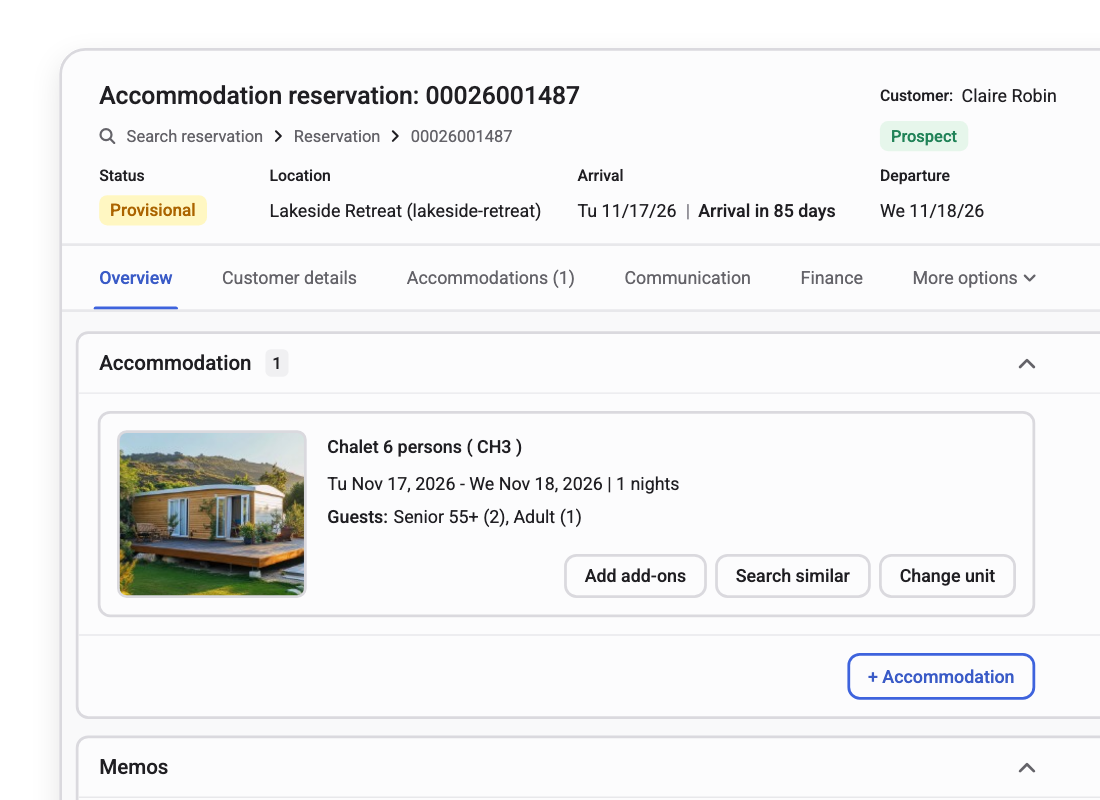

Reservation record with status, location, arrival and departure dates and the booked accommodation

The reservation record behind Europe's holiday park and campsite operators

RCN Vakantieparken
De Krim Texel
Landal
EuroResorts
Unified

One reservation, however it arrived.

Direct, OTA, portal, walk-in or tour operator: every source writes to the same record, not a copy of it.

Automated

Rates, lookups and reallocation run themselves.

Customer lookup, rate calculation and Smart Reallocation all run in the background, without a click.

Connected

Inside the reservation platform.

Channel manager, the operator's own website, and Front desk management all read the same record.

A single site taking bookings by phone and updating one spreadsheet can get away without a central record

Nobody checks four systems because there's only one system to check. At that scale, the spreadsheet basically works.

  1. 1 site, 1 channel a shared sheet holds
  2. +OTAs, +portal, +walk-in same units, same dates
  3. Something double-commits and someone finds out last

The problem is not that any one channel got it wrong. It's that past one calendar and one clerk, nothing keeps every source honest at the same time.

One reservation record does, no matter the scale. Smart Reallocation keeps it full in the background, without anyone having to watch it.

event_availableNew reservations

Every booking, tailored to the guest

Individual, group, or corporate, each reservation follows the same guided flow: capture details, suggest extras, send a quote, and agree on payment terms, whether it starts at the guest help desk, the guest portal, or an OTA.

The system automatically recognises returning guests, so the team isn't re-entering details already on file. Preference booking is separate and open to anyone booking: pick a specific unit on a visual map instead of just an accommodation type, and Smart Reallocation works around that choice later, never against it.
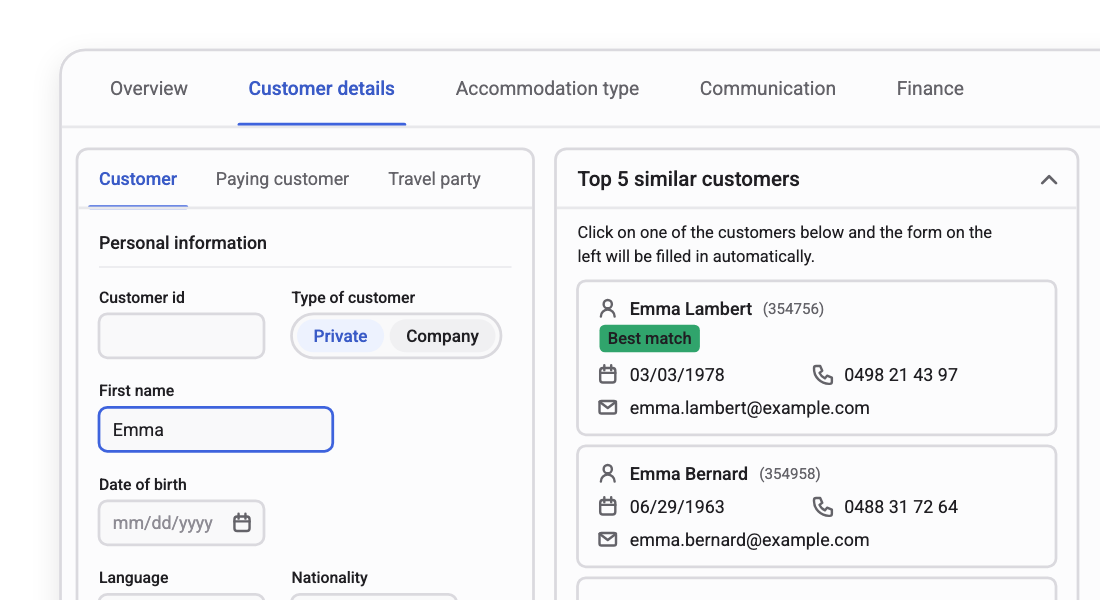
Customer details form next to a list of the top five similar customers, with a best match highlighted

edit_calendarModifications & cancellations

Plans change. The reservation keeps up

Update from any channel with smart search and editing in the Central Reservation System. Every change is captured in a full audit trail: what changed, when, and by whom. Bulk updates apply a policy change once, across thousands of reservations.

Cancellations follow the policy set per accommodation type and channel, from flexible refunds to strict no-refund terms. Fees and refunds calculate automatically, consistent with what you defined.
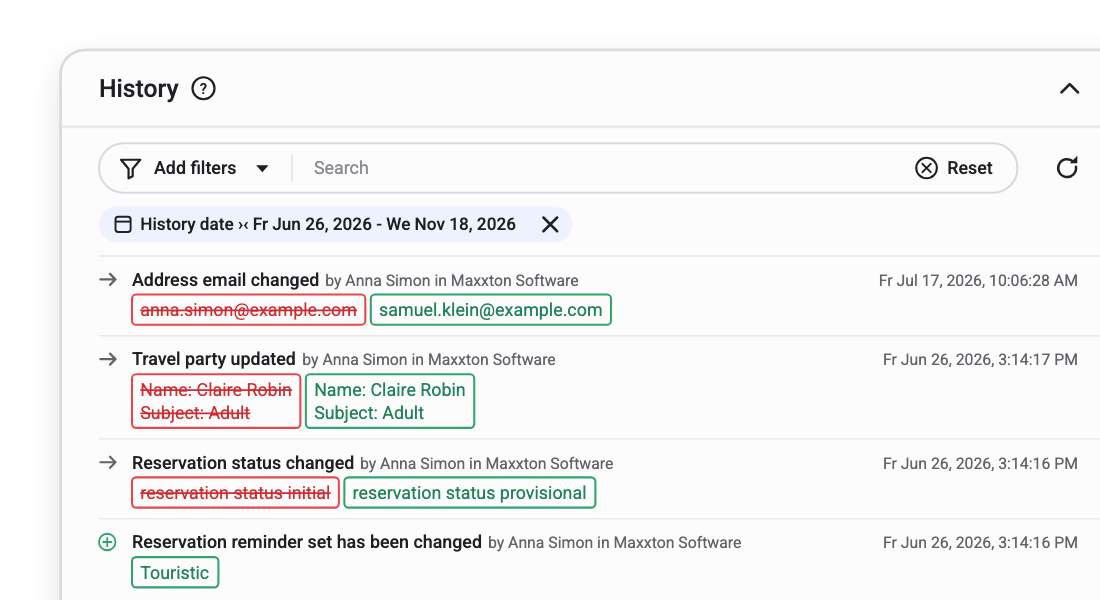
Reservation history with filters and a log of changes showing what changed, when and by whom

manage_searchThe reservation record

See every reservation. Find the one you need

Filter by date, customer, category, payment terms or accommodation type, and slice through portfolio-level data with precision. Payment status, memos and communications sit on the record, not scattered across three systems.

Fully paid or outstanding, confirmed or in progress: everything the team needs to answer a guest at the desk or on the phone is on one screen.

The same reservation record also appears on the planning chart in Front Desk Management.
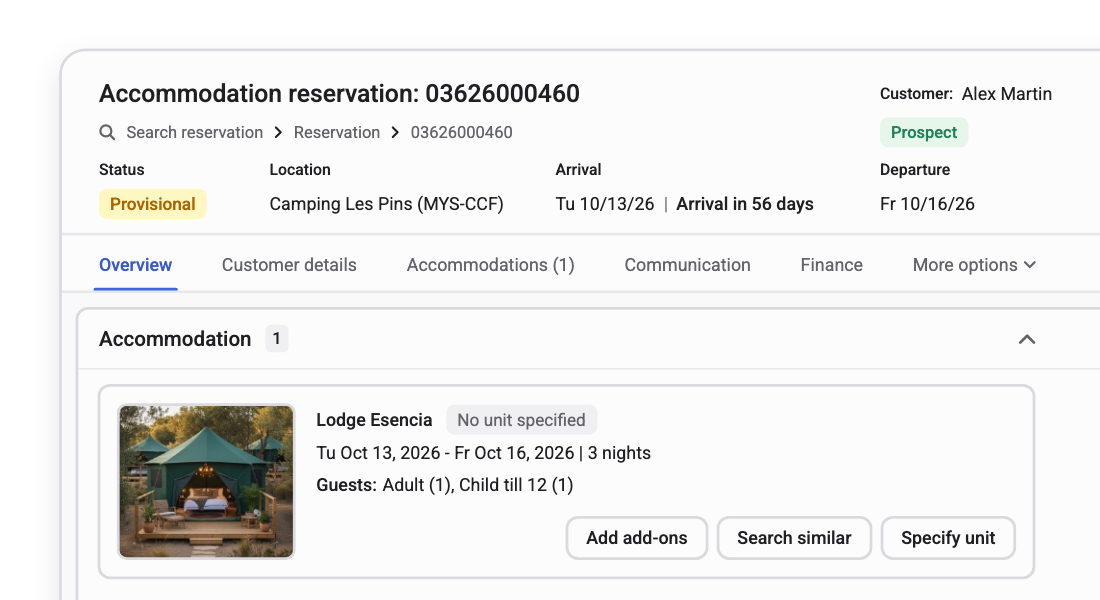
Reservation overview with a booked lodge, no unit specified yet, and options to add add-ons, search similar or specify a unit

shuffleSmart Reallocation

Dates that look full might not be

When a request hits an accommodation that looks taken, Smart Reallocation runs a shadow plan in the background. It checks whether reshuffling existing reservations within the same accommodation type can free a stay that fits, without touching any preference booking.

If the reshuffle works, the date appears as available, and the move is logged in the audit trail. If it doesn't, nothing changes. No agent has to watch it, and guests already booked hear about their unit two weeks before arrival, same as always.

Calculate your occupancy uplift arrow_outward
boltImage needed
ROI calculator

Screenshot of the live ROI tool at maxxton.com/roi.

account_treeConfiguration

Configures to your operation, not the other way around

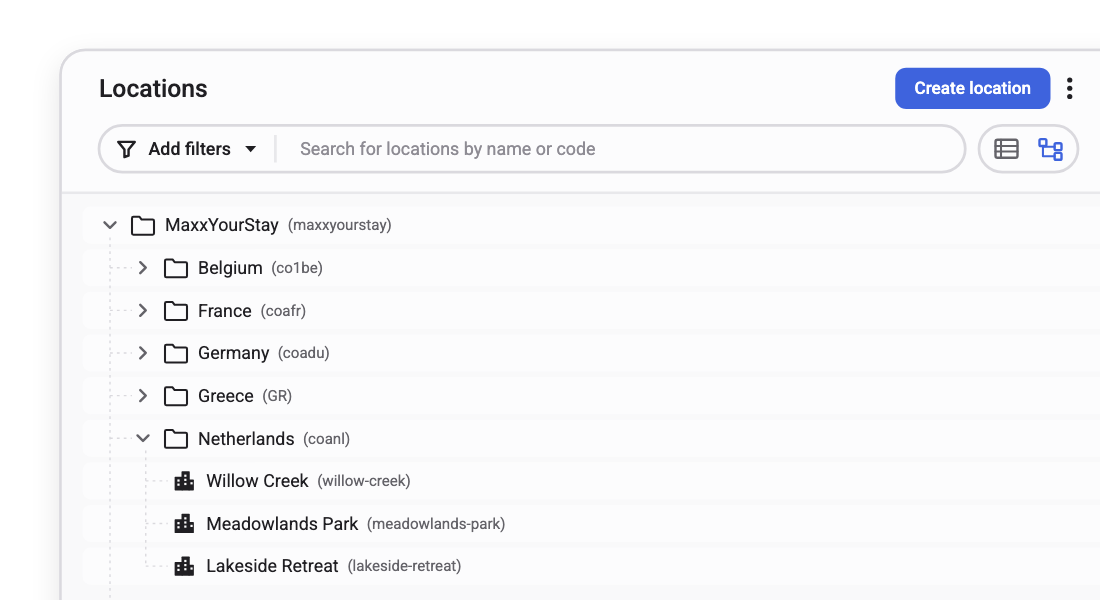
Set a rule at brand, country, location, accommodation type or unit level. It inherits downstream and overrides where the operation needs it: one cancellation policy for most of the portfolio, a different one for the two weeks that actually need flexibility.

One model covers required fields, payment terms, channel terms, and reservation conditions, including mandatory fields a local compliance rule demands, like a passport number before check-in in one country but not another.
Read the hidden architecture behind scalable operations arrow_outward
Location tree with a brand, its countries and the parks under the Netherlands

Guest messaging & notifications

One record books the stay. The same record tells the guest what happens next

Reservation, arrival, cancellation, and loyalty moments each fire their own message automatically, from the same reservation record your front desk and guest help desk already use. Nobody re-types the same email by hand, and nothing drifts out of sync.

Configure the moment once. It fires itself from then on

Event-driven triggers cover reservation confirmations, arrival instructions, cancellations, payment reminders and loyalty updates, with over 100 parameters to target exactly who gets what.

Scheduled messages reach guests at set points, like a week before check-in, and on-demand sending stays available for a manual, last-minute email.
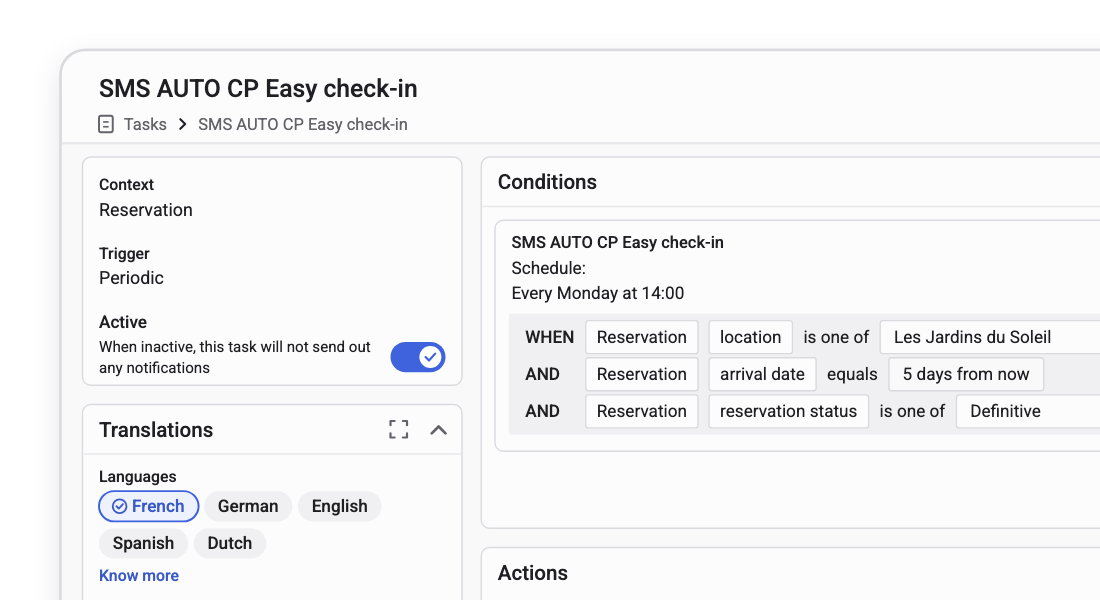
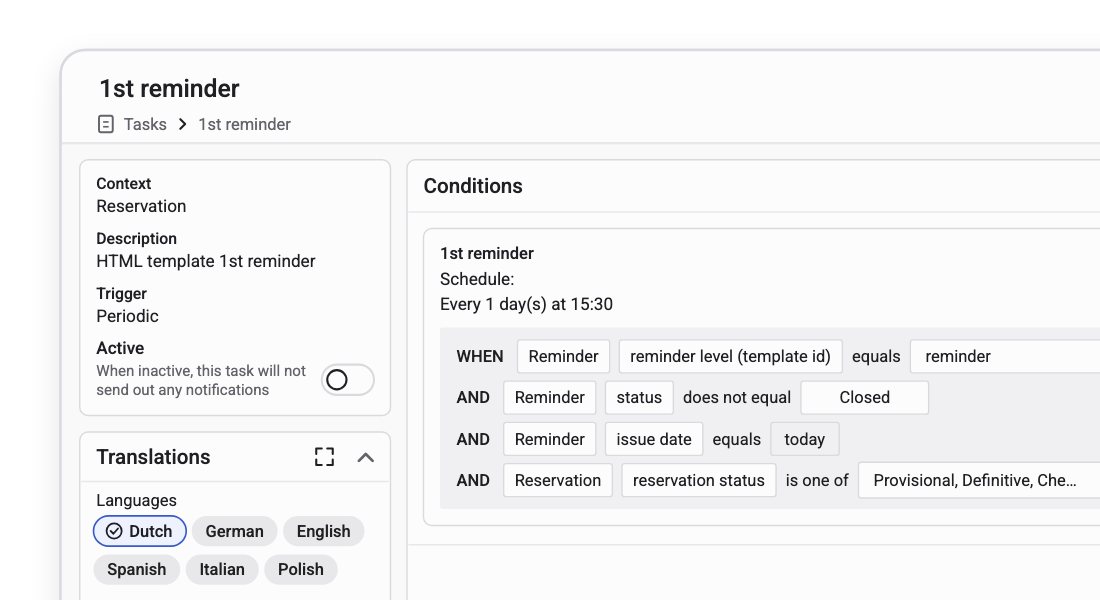
Notification task with its trigger, weekly schedule and conditions on location, arrival date and reservation status

Every template speaks in your voice, without a designer on standby

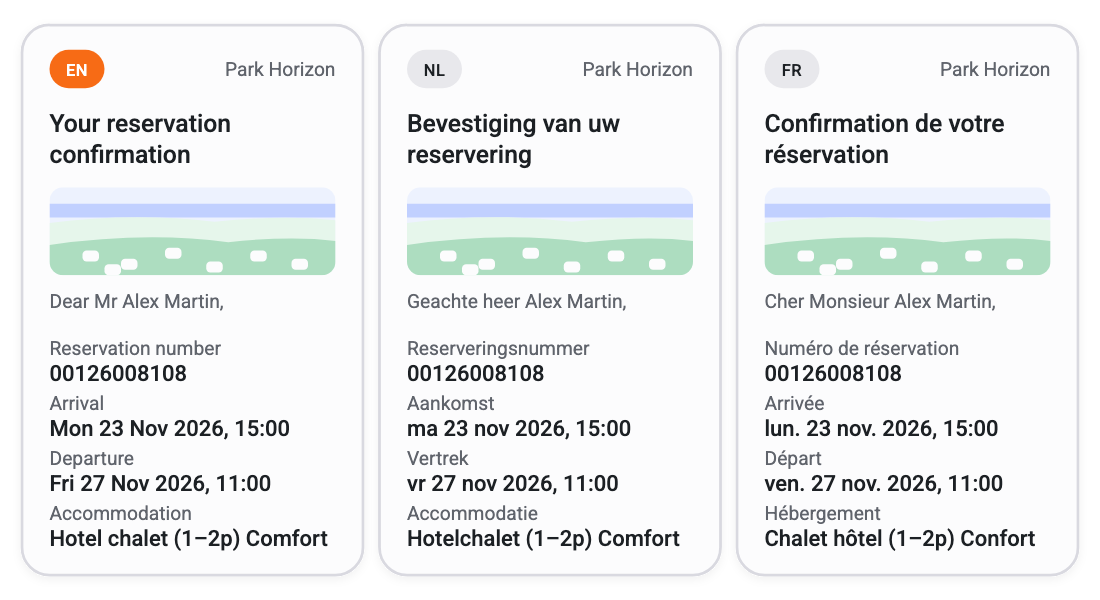
Themes store your brand's colours and typography once, applying them across every template with a click. Reusable blocks for headers, footers, and guest portal links keep messages consistent, while each one still personalises automatically from the guest's reservation and resort details.
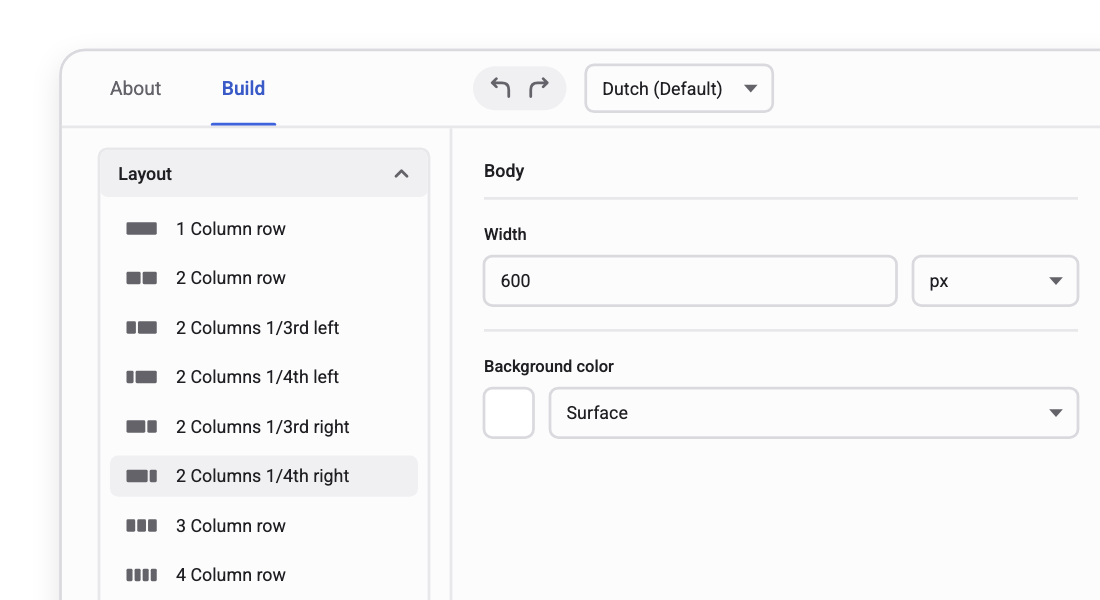
Template editor with layout options and body settings

monitoringMonitor

See what was sent, what failed, and fix it before a guest notices

A live overview shows every message as sent, pending or failed, so a bounced arrival email gets caught and resent instead of surfacing as a guest complaint at the front desk.
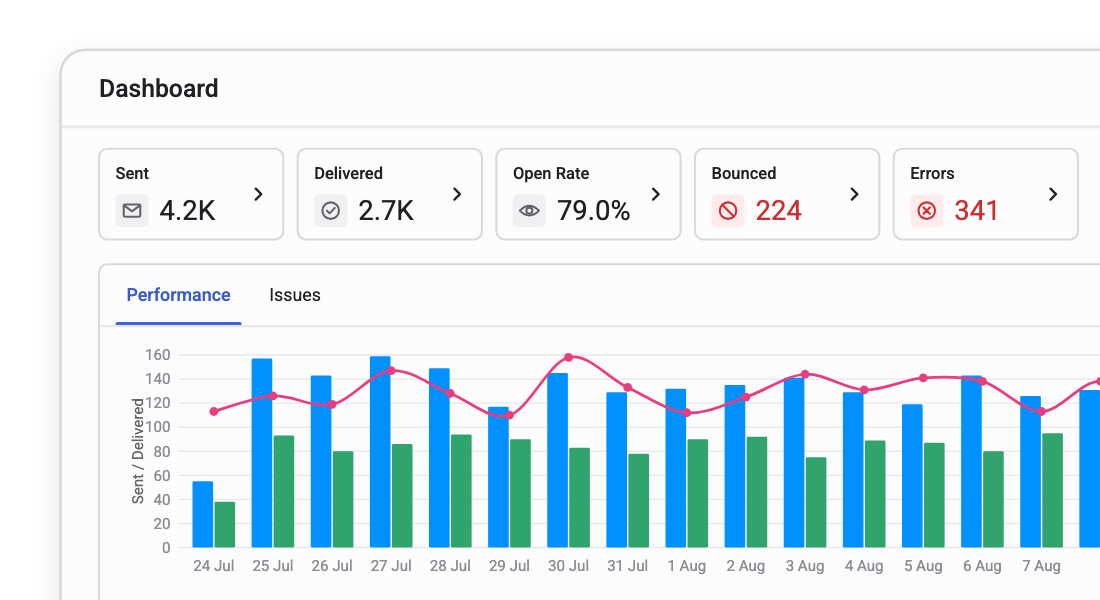
Notification dashboard with sent, delivered, open rate, bounced and error counts above a performance chart

Reservations at scale, at holiday parks and campsites

“Since integrating the Reallocation Engine, our booking process has become far more efficient. We’ve seen a significant increase in bookings, many of them made possible through reallocating existing reservations, and a rise in bookings with specific preferences.”

Eefje Dekkers Landal
+4.8%
bookings after Smart Reallocation went live
25%
of new bookings pay to select a specific unit

Questions reservations teams ask us

Is the central reservation system standalone, or part of the Maxxton platform?

The Central Reservation System is part of the Maxxton platform, not a standalone product. That's the point. The reservation record, configuration, audit trail, channel logic, and policy enforcement all live in the same operating layer as Channel Manager, Revenue Management, and Front Desk Management.

What can our team configure without asking Maxxton?

Most of it, self-serve. Cancellation rule sets, required-field sets, payment-term sets, reservation conditions and audit policies are all defined in the platform UI, at brand, country, location, accommodation type or unit level.

How does this work alongside Revenue Management and Channel Manager?

They share one configuration layer. Pricing strategy lives in Revenue Management, channel terms in Channel Manager, and reservations here. One source of truth, not three that need reconciling.

What happens if a guest has already paid to reserve a specific unit?

Smart Reallocation never touches it. Preference and paid-preference bookings are excluded from every shadow plan, so a guest who paid for a specific unit keeps it, full stop.

Can we book several units for a group in one reservation?

Yes. Maxxton's software supports group booking management by letting your team book several units of the same or different accommodation types in one reservation.

Can our team move a reservation to another property?

Yes. Your team can move an existing reservation to another location in the Central Reservation System, choosing to keep the reservation number or create a new one.

Where do guest messages get triggered from?

Every message is triggered by a status change on the reservation itself, so nothing needs a separate export or manual send list. Guest messaging sits inside the central reservation system and shares its guest record with Front Desk Management and Guest Help Desk.

How is this different from what Guest Help Desk sends?

Guest messaging handles the automated, templated side of guest communication: confirmations, reminders, arrival instructions. Guest Help Desk handles a guest's reply or enquiry with a person. They share the same inbox and guest record, so nothing gets lost between the two.

Can each brand or location keep its own tone and templates?

Yes. Themes and templates can be set per brand or location, so a multi-brand group does not have to force one voice across all of them.

What happens if a message fails to send?

It shows as failed on the live status overview rather than going quiet. Common causes, like an invalid address, surface immediately so you can correct them and resend.

See what one reservation record looks like on your numbers

Bring your booking mix, direct, OTA, portal, walk-in and tour operator, and we'll show you the single record, the reallocation running behind it, and your own templates on brand.