
web Website & CMS

The CMS that already knows what you have available

Holiday park and campsite operators build and edit every site, in every language, on every domain, with accommodation content, prices and availability read live from the reservation platform. The structure underneath is generated for you, so every page is ready to publish and easy to manage.

Live availability on every page Multi-domain, multi-language Structured data on every page
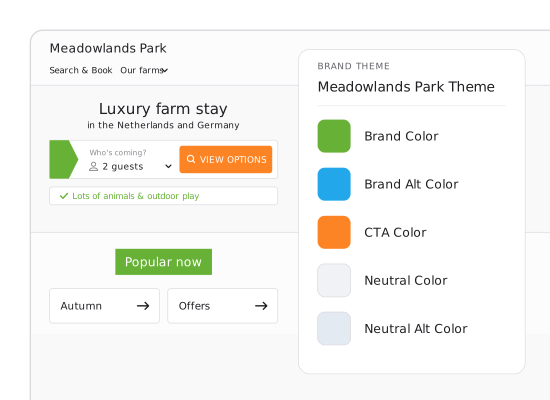
Brand theme picker next to the holiday park website it styles

Running their websites on Maxxton

De Krim Texel
Vakantieparken Weerribben Wieden
Corporate Housing Factory
Nautic Rentals
EuroResorts
Ourthe & Somme
FarmCamps
Lifestyle Holidays
Beachside Holiday Park
Findable

Built for search, not retrofitted

Slugs, meta, structured data and sitemaps are per page and per language, and one page template can serve every location you own.

Connected

The site reads, it does not copy

Accommodation content, prices and availability come from the platform when the page loads.

Yours

Edit on the page, not in a ticket

Change copy and layout on the live site, hold it as a draft, and take a version backup before anything goes out.

Most park websites are two systems pretending to be one

One system holds the words and pictures; another holds the truth.

A website and a reservation system
One platform
Accommodation content is maintained twice, and the two versions drift.
Content lives once, on the platform, and every site reads it.
Prices are updated by hand, or by a feed that catches up overnight.
The price on the page is the price the platform holds, now.
A guest picks two filters and gets nothing back, with no way forward.
Filters only offer combinations that return something.
A result looks bookable until the booking step says otherwise.
Every result is availability-based, so what shows is what books.
A new language or a new domain is a new project.
A language is a setting. A domain is a site.
The answer is on your site, but machines can’t pick it up when a guest asks.
The same answer is published as structured data, so machines can read it too.

travel_exploreReach

Be findable before guests start searching

Make your content readable by search engines, comparison sites and AI assistants. Structured data, metadata and slugs are generated per page and language, directly from your live platform data, so what machines find is accurate and bookable.

Dynamic routes and automatically generated sitemaps make every resort and accommodation easy to discover. Adchieve extends your reach across Tripadvisor, Trivago and Google Vacation Rentals.
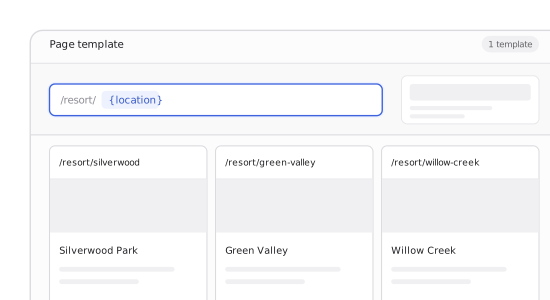
Page template with a dynamic location route resolving to several resort pages

date_rangeSearch

Let them search the way they actually plan

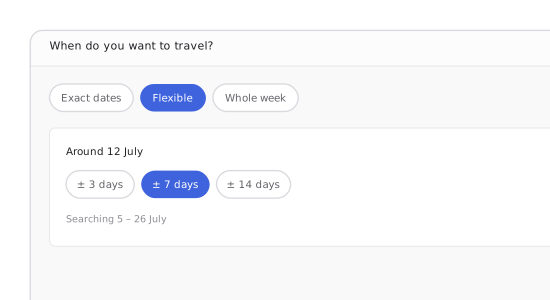
Three in five travellers don't know where they are going when they start searching, so a date picker that only accepts exact dates loses them. Guests can search a fixed period, a flexible window, a whole week, a month or a school holiday by region. Results are availability-based, filters only offer what returns something, and where nothing matches, the page offers alternatives instead of an empty screen.
Why searching is not booking, and what that changes arrow_outward
Flexible-dates picker in the booking widget

view_agendaShow

Content that cannot go stale, because it is not a copy

Accommodation descriptions, images, amenities, locations, opening times, and points of interest are read from the platform when the page renders. The CMS adds the layer on top: layout, photography, story, ratings and the result card itself, configured to lead on whatever actually sells your accommodation. One source underneath; your presentation on top.
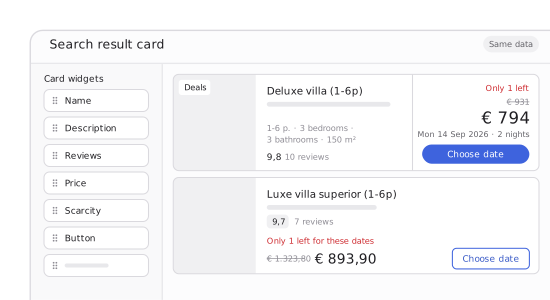
Search result card editor with the card widgets

tunePersonalise

One rule, from before they land to after they book

Personalisation starts before the click. Someone searching for a dog-friendly bungalow near the water should land on that bungalow, not your homepage and start again. Dynamic routes and availability-based results make the landing page match the search that brought them there.

Define conditional sets once and reuse them across the site: homepage banners, booking steps and portal pages. Show or hide content based on login status, site or referrer, travel party or existing reservation. If a guest comes back to a search they started yesterday, they pick up where they left off.
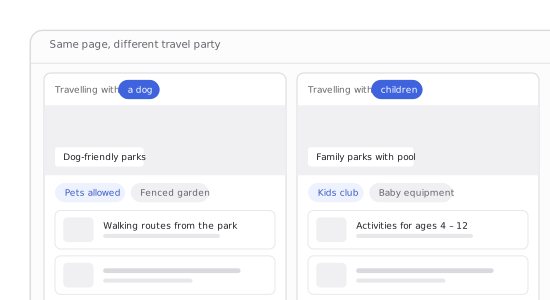
The same page personalised for a travel party with a dog and one with children

editBuild

Edit where your guests see it

Edit content directly on the live page, not through a form that describes it. Change a heading where it sits and see exactly what guests will see as you work. No preview cycle, no guessing how it will look once published.
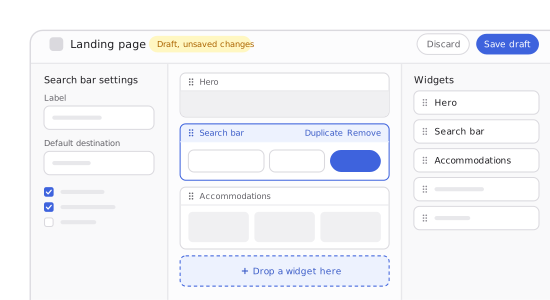
Landing page editor with the search bar widget selected and a draft with unsaved changes

Websites we build

Built to be found. Designed to be booked
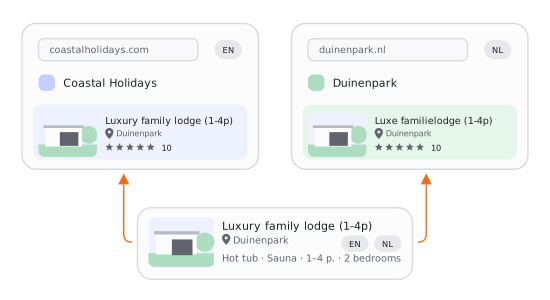
One accommodation held once in the platform and shown on two operator sites, in English and in Dutch

Fewer dead ends. More direct bookings

  • Our CMS module lets you manage your website and booking flow, with content, prices and availability kept up to date directly from your platform.
  • Pages that adapt to where visitors come from and what they want
  • Brand, location and destination brought together in one story
  • A clear path for visitors who already know what they want
  • More of the booking journey happening on your own domain
  • Your website adapts automatically to mobile, tablet and desktop screens, keeping browsing and booking usable on each device.

Everything the site runs on, in one place

Configured in the platform, applied across every site you run.

01

Pages and templates

Build a page from widgets, save it as a template, reuse it across every site you run. Or start with best-practice templates and building blocks.

02

In-context editing

Edit directly on the page, in the context guests see it. Save changes as a draft and publish when they are ready.

03

Conditional sets

Define a visibility rule once and reuse it on any page, booking step or portal screen.

04

Languages

Set primary and enabled languages, with translations extending to slugs and metadata.

05

Multi-site

Several sites sharing the same content, each with its own domain and its own theme.

06

Search configuration

Quick search, filter panels, sorting and saved search presets, set per site.

07

Result cards

Choose what a result leads on: image, rating, description, price or availability.

08

Progressive web app (PWA)

Installable per site via the Apple App Store and Google Play, with offline access to pages guests have already viewed.

Questions marketing teams ask before they replatform

Is this a website builder or a CMS?

A CMS. Your team builds and edits pages, layouts, and content directly, and we build the initial site and theme rather than pulling from a template gallery.

What is the difference between this and Inventory setup?

Inventory setup holds the accommodation itself: descriptions, images, amenities, points of interest. This holds the website around it: pages, layout, navigation, languages and search. One source of accommodation content, presented by the site.

Can we keep our own website and still use Maxxton?

Yes. You can embed individual pages on your own domain, and the API is open, so operators can run a Maxxton search and booking flow inside a site built elsewhere.

How do multiple brands and domains work?

Each site has its own domain, theme and language set, and can share content with the others. Operators run several brands and country domains from one place.

What happens to our search rankings when we migrate?

Slugs, meta, structured data and hreflang carry over per language. The redirect map from your old site is planned as part of the project rather than generated automatically, so it belongs in the implementation scope from day one.

Can we make changes ourselves, or do we need Maxxton every time?

Yes. In the Maxxton CMS, you can change pages, content, menus, translations, conditional rules and search configuration yourself. Themes are the exception, because visual identity is built in code, so a redesign is a project rather than a setting.

Reading live from the platform, isn’t that slower than a static site?

It would be if every page had to load everything at once. Pages are served with a cache layer, while availability and price are resolved when requested. Heavier elements load as guests reach them rather than when the page opens. This matters most on mobile, where our current performance work is focused.

Get found. Show what is available. Win the booking.

Give people and AI agents accurate, structured information they can find and use. Turn live prices and availability into a booking journey that reflects your brand, answers the search and makes it easy to book directly.