
For housekeeping and maintenance teams

Keep every unit ready for the next guest

Clean accommodation, working facilities, and a well-maintained park are the basics guests notice first. Maxxton gives housekeeping and maintenance one shared plan, connected to reservations, guest requests and costs, so teams know what needs doing, where and when, and can prove when it is done.

Built for teams in the field iOS and Android Offline functionality Automatic sync when the connection returns Named accounts and one-time passwords
laundry-cart-filled-with-linens-in-a-hotel-hallway-2026-09-21-02-01-35-utc

The platform behind operations teams at Europe’s leading operators

Libéma
De Krim Texel
RCN
Molecaten
Siblu

Everything starts with the same plan

Fig 1

One job, one record

Housekeeping, maintenance, inspections, and front desk work from the same task and accommodation record, rather than separate logs.

Fig 2

The plan follows the bookings

Arrivals, departures and changeovers already in the reservation system drive the housekeeping and maintenance schedule. Change the booking and the plan changes with it.

Fig 3

The cost follows the work

Materials, labour and repairs are tracked against the job and settled to the guest, owner or maintenance fund without a second entry.

Housekeeping and maintenance can have a perfect plan and still lose time at every handoff

The problem is not any one of these things. The plan, the work, and the record often live in different places.

Maxxton connects them, so the same information follows the job from assignment to completion and, where relevant, settlement.

event_availableAssign

Start every shift knowing what matters

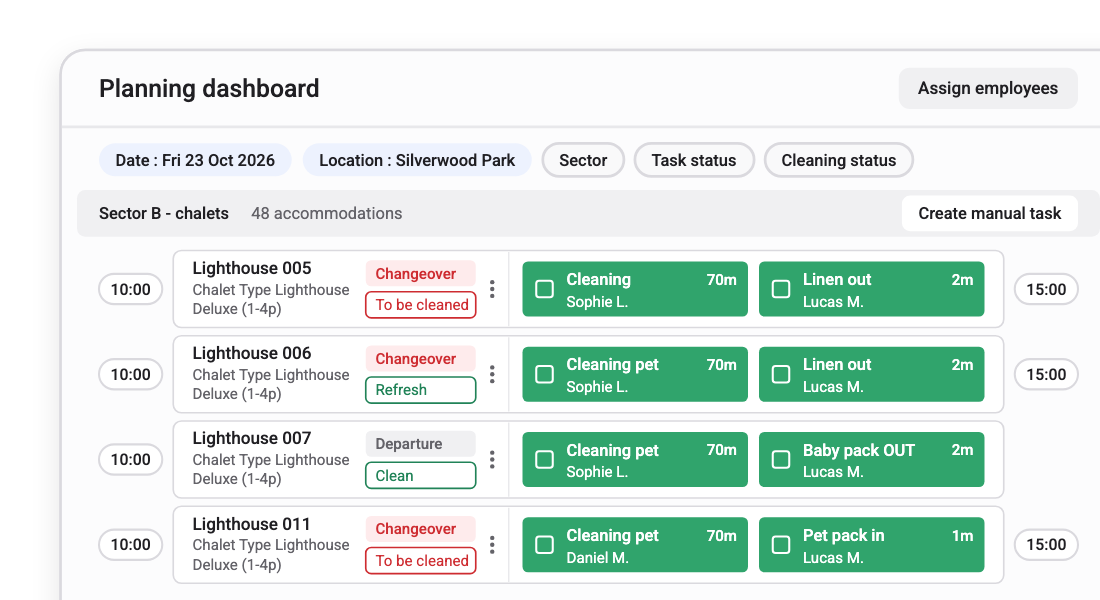
Tasks are assigned by location, urgency and skill before the work starts. The plan is built from arrivals, departures and changeovers already on the books, so teams spend less time working out what to do and more time doing it.

Includes automated task assignment by sector and route, priority handling for early check-ins and late check-outs, and shared visibility across housekeeping and maintenance.

Predefined task durations help you plan workloads. Time tracking records time spent on each periodic task, work order item and category, grouped by task or employee.

Booked extras automatically create preparation tasks, so teams know what to prepare before guests arrive.
See how the plan is generated arrow_outward
Planning dashboard with changeover cleaning and linen tasks assigned to employees per chalet

support_agentConnect

Turn a guest request into a job

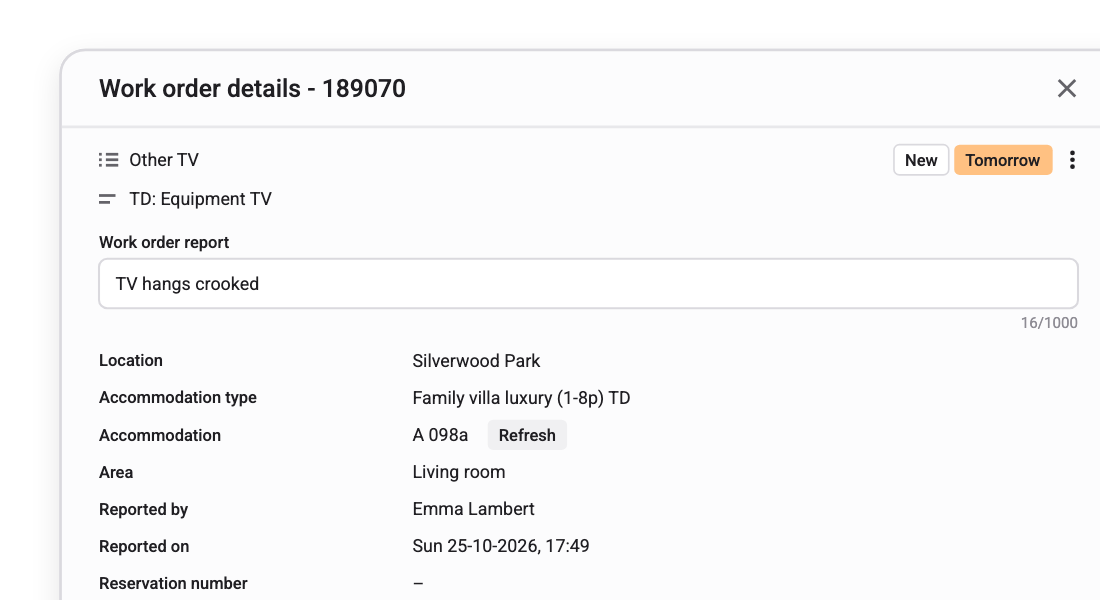
When a guest reports a problem at reception, the right person gets the information straight away. The work order already knows the accommodation and the guest, so nobody has to explain or re-enter the issue.

Includes issue logging with severity and evidence, automatic assignment to the right team, and shared status between reception and operations.

Teams also log remarks, lost and found items and follow-up work orders directly from the Operations App.
See how requests start at the desk arrow_outward
Work order details for a reported TV issue, linked to the location, accommodation and the person who reported it

fact_checkTrack

Know what is done, what is waiting and what it costs

See maintenance backlog, vendor jobs, stock levels and inspections from one place. Track external contractors alongside your own teams, and use completion checks to ensure jobs close properly.

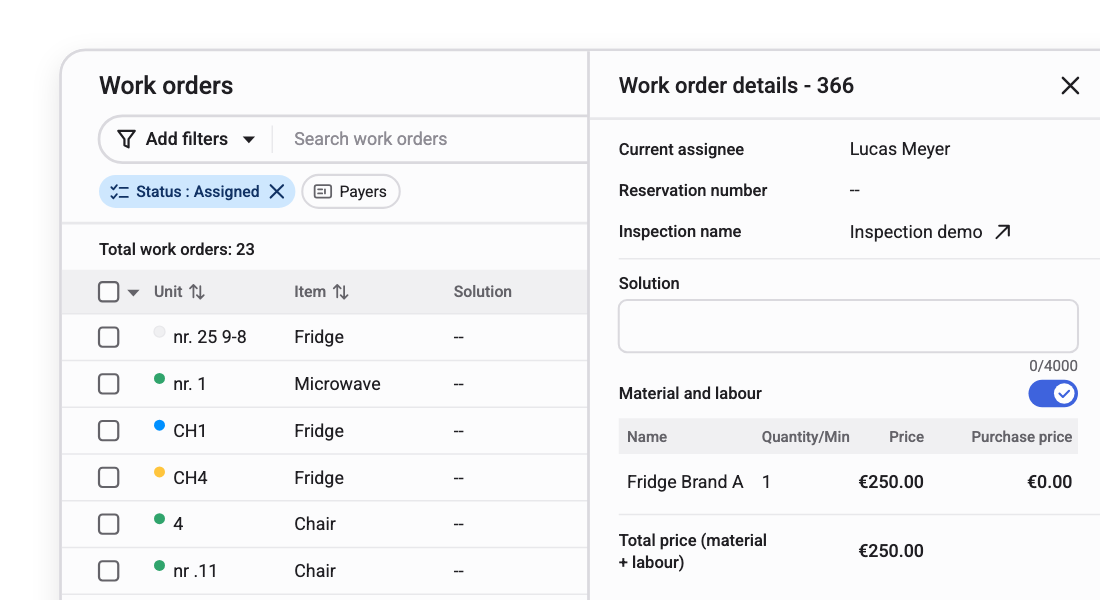
Includes vendor job tracking, materials and stock thresholds, customisable annual inspection checklists and completion validation. Materials, labour, and completed work can automatically settle against the owner's contract.
See how costs settle with owners arrow_outward
Work orders list next to a work order's material and labour costs and total price

What operations teams say

“The app is self-explanatory. After a short introduction, new employees can quickly get started independently.”

Frank de Laat Park manager, De Krim Texel

“What I really like is the flexibility: logging meter readings with photos, creating work orders on the go while walking around the park, and easily opening the barrier gate.”

Steffanie Helsdingen Reception and administration manager, RCN

“Thanks to the app, we can reach guests quickly, which often leads to very positive feedback.”

Evita de Brouwer Head of staff, Safari Resort Beekse Bergen
Book a demo

Frequently asked questions

Does this replace our current housekeeping and maintenance system?

Yes. For most operators, Maxxton brings planning, work orders, inspections, materials and cost tracking onto the same record as the reservation. If you keep a specialist system, Maxxton can exchange data with it.

How does a problem reported at reception become a maintenance job?

Front Desk Management logs the issue against the accommodation and guest. It reaches the operations team as a work order without anyone having to re-enter the details.

Can seasonal and third-party staff use it without a long setup?

Yes. Permanent staff use named, role-based accounts. Seasonal and external workers can use one-time passwords with time-limited access. The Operations app is available in multiple languages, including Polish.

Does the app work without a signal?

Yes. Task lists, completions, and photos are stored locally and automatically synchronised when the connection returns.

How are maintenance costs billed to owners or guests?

Materials, labour and repairs are tracked against the job and can be settled to the guest, owner or maintenance fund through Owner Management.

How does planning stay in sync with arrivals and departures?

The plan is generated from reservations already in Maxxton. Change a booking and the relevant housekeeping and maintenance tasks update with it.

Make the next shift easier than the last

Give every team the same plan, the same information and a clear record of what happened.